Best Usb-powered for Calathea Review
Calathea plants thrive with consistent humidity, gentle airflow, and proper lighting — all achievable with USB-powered devices. This guide reviews the best USB humidifiers, clip-on fans, and grow lights to solve common Calathea problems like crispy edges, curling leaves, and faded patterns.
If you have ever owned a Calathea, you know the struggle. One day the leaves look lush and patterned. The next day, crispy brown edges appear out of nowhere. The leaves curl tight like fists. The vibrant pinks and purples fade to dull green. You water correctly. You use filtered water. You even talk to it nicely. But something is still off.
Here is the secret most plant shops do not tell you. Calatheas are not just picky about water. They are picky about air. They need humidity that mimics a rainforest floor. They need gentle breeze that keeps fungal spores from settling. They need bright, filtered light that keeps their patterns sharp without scorching their paper-thin leaves. And you can provide all three with small, affordable, USB-powered devices.
This guide walks you through the best USB-powered tools for Calathea care. We cover humidifiers, fans, and grow lights. We explain what features actually matter. We share real-world tips from growers who have killed more Calatheas than they care to admit — so you do not have to. Let us dive in.
Key Takeaways
- USB humidifiers are essential: Calatheas need 60-80% humidity; portable USB units provide consistent moisture without bulky equipment.
- Clip-on fans prevent fungal issues: Gentle airflow strengthens stems and reduces leaf spot diseases common in stagnant air.
- Full-spectrum grow lights maintain vibrant patterns: USB-powered LED bars supplement low-light conditions without burning delicate leaves.
- Power bank compatibility adds flexibility: Devices that run on power banks let you position plants anywhere, not just near outlets.
- Look for adjustable settings: Multiple mist levels, fan speeds, and light intensities let you customize care as seasons change.
- Quiet operation matters: Ultrasonic humidifiers and brushless fans run silently — ideal for bedrooms and offices.
- Regular cleaning prevents mineral buildup: Weekly maintenance keeps USB devices efficient and your Calathea healthy.
Quick Answers to Common Questions
Can I use a USB humidifier for multiple Calatheas at once?
Yes, a single USB humidifier like the Levoit Personal can raise humidity 10-15% in a 3-foot radius, covering 4-6 grouped plants. Place it centrally and aim mist upward through the canopy for best distribution.
How long should I run a USB fan for my Calathea each day?
Run the fan 12-14 hours daily during the light period. Aim it at a wall above the plants — not directly at leaves — so leaves barely tremble. Turn it off at night to reduce transpiration.
Will USB grow lights burn Calathea leaves?
Not if positioned correctly. Keep full-spectrum 5000K LED bars 12 inches above the canopy (Barrina T5) or clip lights 8 inches on medium brightness. Avoid purple “blurple” lights and direct sun exposure.
What size power bank do I need to run a humidifier overnight?
A 10,000 mAh power bank runs a 2W USB humidifier for ~25 hours. For humidifier + fan combo, use a 20,000 mAh bank with pass-through charging for 35+ hours of continuous operation.
How often should I clean my USB humidifier?
Weekly. Empty tank, rinse with distilled water, wipe ultrasonic plate with a soft cloth. Monthly deep clean: soak plate in 50/50 vinegar-water 30 minutes, scrub gently, rinse thoroughly with distilled water.
📑 Table of Contents
- Why Calatheas Demand Extra Environmental Control
- Best USB-Powered Humidifiers for Calathea
- Best USB-Powered Clip-On Fans for Air Circulation
- Best USB-Powered Grow Lights for Vibrant Patterns
- Power Solutions: Keeping USB Devices Running
- Integrated Setup: Building a Calathea Microclimate Station
- Troubleshooting Common USB Device Issues
- Advanced Tips from Calathea Veterans
- Conclusion
Why Calatheas Demand Extra Environmental Control
The Rainforest Floor Reality
Calatheas come from the understory of tropical rainforests in South America. There, humidity sits between 70 and 90 percent. Temperatures stay steady. Light filters through dense canopy. The air moves gently but constantly. Your living room? Probably 30 percent humidity in winter. Still air. Light that is either too harsh or too dim. That mismatch is why Calatheas struggle.
Signs Your Environment Is Failing Your Plant
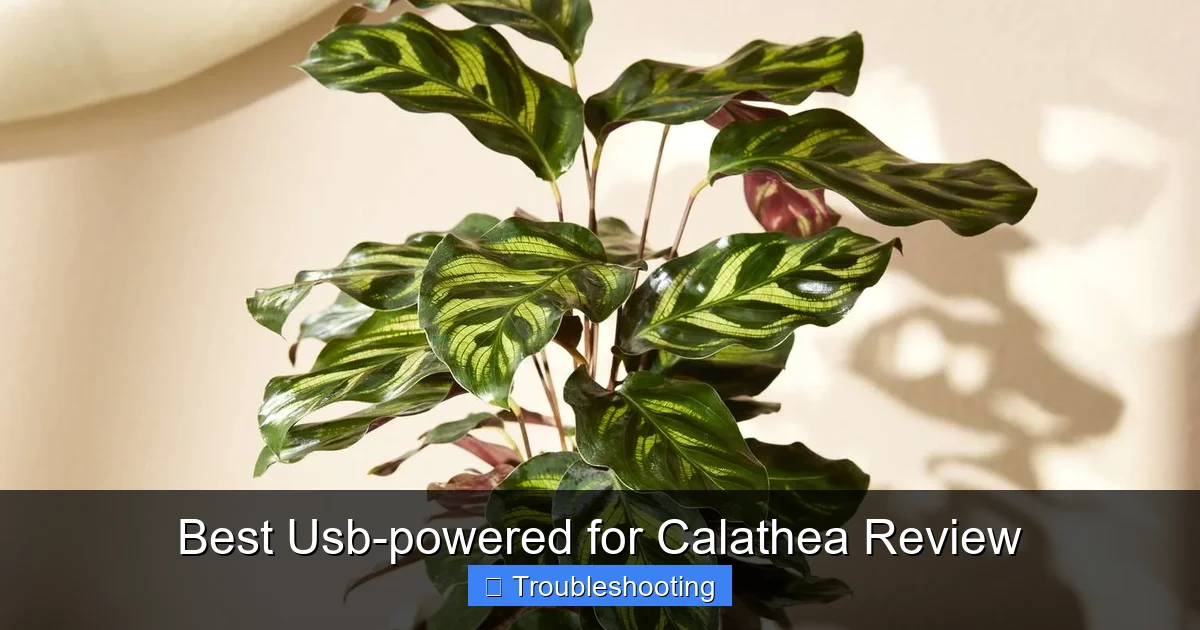
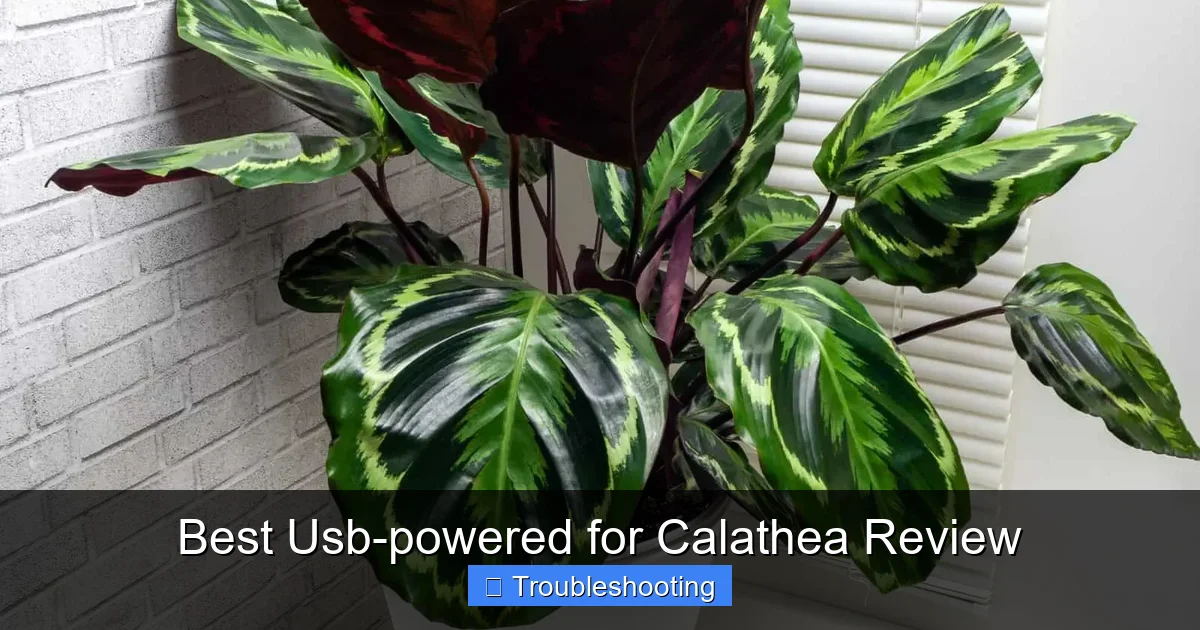
Crispy leaf edges mean the air is too dry. Curling leaves mean the plant is trying to conserve moisture. Faded patterns mean insufficient light. Brown spots with yellow halos often mean fungal infection from stagnant, wet air. New growth that emerges deformed or stuck? That is low humidity combined with no airflow. Each symptom points to an environmental gap — and each gap has a USB-powered solution.
Why USB Power Changes the Game
Traditional humidifiers, fans, and grow lights need wall outlets. That limits where you can place your plants. USB devices plug into power banks, laptop ports, USB wall adapters, or even solar chargers. You can put a Calathea on a bookshelf, a bathroom counter, a desk corner, or a plant stand in the middle of the room — no outlet required. That freedom lets you create microclimates exactly where your plants live.
Best USB-Powered Humidifiers for Calathea
What Makes a Humidifier Calathea-Friendly
Not all USB humidifiers work for Calatheas. You need ultrasonic cool mist — not warm mist, which can cook delicate leaves. You need a tank that runs at least 8 hours so you are not refilling constantly. You need adjustable mist output because Calatheas do not want a fog machine; they want a gentle haze. And you need quiet operation. A humidifier that sounds like a broken radiator will drive you crazy.
Visual guide about Best Usb-powered for Calathea Review
Image source: positivebloom.com
Top Pick: Levoit Personal Ultrasonic Humidifier
The Levoit Personal Ultrasonic holds 0.5 liters and runs up to 12 hours on low. It puts out a fine, cool mist that raises humidity 10-15 percent in a 3-foot radius — perfect for a small plant cluster. The dial control lets you dial in a whisper-quiet mist. It runs on any 5V 2A USB power source. A 20,000 mAh power bank runs it for two full nights. The tank opening is wide enough to clean with a bottle brush. No filters to replace. At under $30, it is the best balance of performance, silence, and portability.
Runner-Up: Pure Enrichment MistAire Micro
The MistAire Micro is smaller — 0.3 liters — but runs 10 hours on low. Its mist nozzle rotates 360 degrees so you can direct humidity toward your Calathea cluster and away from walls or electronics. It has an auto-shutoff when empty. The night light feature is optional and dim. It is slightly louder than the Levoit on high, but on low it is barely audible. Great for a single large Calathea or a duo on a desk.
Budget Option: VicTsing 300ml Cool Mist
At under $20, the VicTsing gets the job done. It runs 8-10 hours. The mist is a bit coarser, so place it a foot away from leaves to avoid water spots. It has two mist modes and a color-changing light you can turn off. The plastic feels thinner, but for the price it is a solid starter unit. Just clean it weekly — mineral buildup clogs the ultrasonic plate faster on budget models.
Pro Tip: Use Distilled Water Only
Tap water leaves white mineral dust on Calathea leaves. That dust blocks light and clogs stomata. Distilled water costs $1 a gallon and eliminates the problem. If you must use tap, let it sit 24 hours for chlorine to off-gas, then run the humidifier on low to minimize dust. But distilled is worth the dollar.
Placement Strategy for Maximum Benefit
Put the humidifier slightly below leaf level, aimed upward through the canopy. This mimics rising ground moisture. Keep it 12-18 inches from the nearest leaves. Run it 6-8 hours daily — morning and early afternoon — so leaves dry before night. Wet leaves overnight invite fungus. A simple outlet timer on your USB adapter automates this perfectly.
Best USB-Powered Clip-On Fans for Air Circulation
Why Airflow Matters More Than You Think
Stagnant air is a silent killer. It lets fungal spores settle and germinate on wet leaf surfaces. It creates pockets of CO2 depletion around leaves, slowing photosynthesis. It weakens stems because plants do not develop strengthening tissue without gentle wind stress. A small clip-on fan solves all three problems. It also helps humidity distribute evenly instead of pooling at the bottom of the pot.
Top Pick: Vornado Pivot Personal Air Circulator
The Vornado Pivot is not technically a clip-on — it sits on a base — but its pivot head aims airflow exactly where you need it. It moves 175 CFM on high, but low is a gentle breeze perfect for Calatheas. The brushless motor is silent on low. It runs on USB-C and draws only 2.5 watts. A 10,000 mAh power bank runs it 40+ hours. Build quality is excellent. It costs around $40 but lasts years.
Best True Clip-On: OPOLAR Clip-On Desk Fan
The OPOLAR clips onto shelves, pot rims, or plant stand legs up to 2 inches thick. The 6-inch blades push a surprising amount of air. Three speeds. The neck bends 360 degrees. It runs on USB-A and uses 3 watts. On low, it is inaudible from 3 feet away. At $25, it is the best dedicated clip-on for plant shelves. The clip grip stays tight even after months of adjusting.
Budget Dual-Pack: SkyGenius 2-Pack Mini Clip Fans
Two fans for $22. Each has a strong spring clip and flexible gooseneck. Two speeds only. They move less air than the OPOLAR but enough for a small shelf. Great if you have multiple Calathea zones — one fan per shelf. The motors develop a faint whine after 6-12 months, but at $11 each, replacement is painless.
How to Position Fans for Calathea Health
Never blow air directly at leaves. That increases transpiration and causes crispy edges. Instead, aim the fan at the wall above the plants or across the front of the shelf. You want indirect air movement — leaves should barely tremble. Run fans 12-14 hours daily, same as your light cycle. Turn them off at night to let the boundary layer reform and reduce water loss.
Cleaning Fan Blades: The Forgotten Step
Dust on fan blades becomes dust on leaves. Wipe blades weekly with a damp microfiber cloth. Compressed air works for deep cleaning. A clean fan moves more air and spreads fewer contaminants. Do it when you water — same routine, two birds.
Best USB-Powered Grow Lights for Vibrant Patterns
Light Requirements: Bright Indirect, Not Direct
Calatheas need 200-400 foot-candles (2,000-4,000 lux) for 12-14 hours daily. Direct sun burns them in minutes. North windows often fall short in winter. East windows work but offer only morning light. USB grow lights fill the gap. Look for full-spectrum white light (4000K-5000K) with high CRI (90+) so colors render true. Avoid purple blurple lights — they make pest detection hard and look awful in living spaces.
Top Pick: Barrina T5 LED Grow Light Strips (4-Pack)
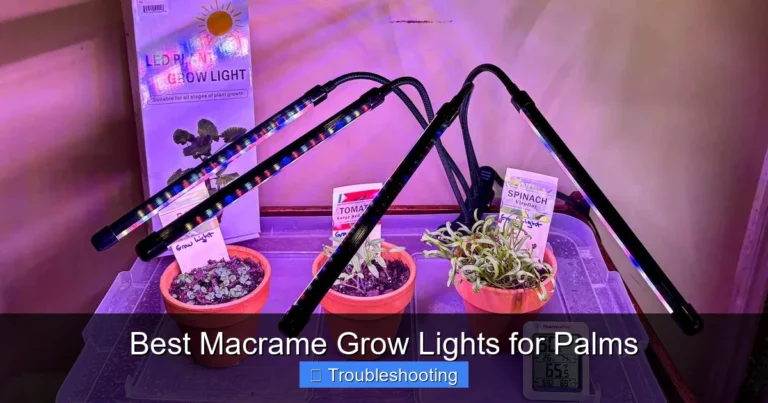
Each 2-foot bar puts out 5000K full-spectrum light at 2000 lumens while drawing only 10 watts. Four bars link together or run separately. They include clips, zip ties, and double-sided tape for mounting under shelves or on cabinet undersides. Each has an inline on/off switch. Run two bars 12 inches above a shelf for perfect Calathea intensity. The 4-pack costs $50 — $12.50 per bar. Unbeatable value.
Best Adjustable Arm: GooingTop Clip-On Grow Light
The GooingTop has two 360-degree gooseneck arms, each with a 20-LED head (5000K, 500 lumens). Five brightness levels. Timer options: 4, 8, or 12 hours. Strong clip fits shelves up to 2.5 inches. Runs on USB-A. At $30 for the dual-head unit, it is ideal for a single large Calathea or a pair on a desk. The timer memory survives power loss — huge plus if you use a power bank that cycles.
Best for Shelves: Mosthink LED Plant Light Strips (2-Pack)
Each 13-inch strip has 48 LEDs (5000K, 800 lumens). They link end-to-end up to 6 strips. Includes magnetic mounts, adhesive backing, and screws. Inline dimmer with 4 levels. Auto timer: 3, 6, or 12 hours. Two strips cover a 3-foot shelf perfectly. $28 for the pair. Slim profile hides under shelf lips. Great for multi-tier plant stands.
Light Distance and Duration Cheat Sheet
For Barrina T5 bars: 12 inches above canopy = ~300 foot-candles. Run 12 hours. For GooingTop heads: 8 inches on medium brightness = ~250 foot-candles. Run 12 hours. For Mosthink strips: 6 inches under shelf = ~200 foot-candles. Run 14 hours. Adjust based on leaf response. Fading patterns? Increase intensity or duration. Bleached spots? Raise lights or dim.
Measuring Light Without a Meter
No lux meter? Use your phone. Apps like Photone (iOS) or PPFD Meter (Android) give decent relative readings. Calibrate by measuring outdoors at noon (should read ~100,000 lux). Then measure at leaf level. Aim for 2,000-4,000 lux. Or use the shadow test: hold your hand 6 inches above leaves at midday light. Sharp, defined shadow = good light. Fuzzy shadow = too dim.
Power Solutions: Keeping USB Devices Running
Power Bank Sizing for Overnight Operation
A humidifier drawing 2 watts (5V, 0.4A) runs 25 hours on a 10,000 mAh power bank (37 Wh usable). A fan at 3 watts runs 12 hours. Two grow light bars at 10 watts each run 1.8 hours — so lights need wall power or massive banks. Strategy: run humidifier and fan on power banks overnight. Plug lights into wall timers. Or use a 20,000 mAh bank for humidifier + fan combo (35+ hours).
Pass-Through Charging: The Must-Have Feature
Buy power banks with pass-through charging. This lets the bank charge from the wall while powering your devices. No downtime. Anker PowerCore 20000 PD and Baseus 20000mAh 65W both support pass-through. They cost $40-50 but eliminate the “dead bank, dry plant” disaster.
USB Wall Adapters: Don’t Skimp
Cheap 5V 1A adapters cannot run a humidifier + fan simultaneously. Use a 5V 3A (15W) or 5V 4A (20W) multi-port adapter. Anker PowerPort 4 (40W total) runs two humidifiers and two fans with room to spare. Label each port with a label maker — “HUMIDIFIER,” “FAN,” “LIGHTS” — so you never unplug the wrong thing.
Cable Management for Plant Shelves
Velcro cable ties. Adhesive cable clips. Spiral wire wrap. Route cables along shelf backs and down legs. Leave slack at device connections so you can move units for cleaning. Use 3-foot USB cables — 6-footers create tangles. White cables blend with white shelves; black cables hide on dark stands. Label both ends of each cable.
Integrated Setup: Building a Calathea Microclimate Station
Shelf Layout for 4-6 Calatheas
Top shelf: Two Barrina T5 bars mounted 12 inches above canopy, on 12-hour timer. Middle shelf: Levoit humidifier on left, aimed up through plants. OPOLAR fan on right, aimed at wall above plants. Both on 20,000 mAh power bank with pass-through. Bottom shelf: Reserve for new acquisitions or propagation. All cables routed down back left leg. Power strip on floor behind stand.
Daily, Weekly, Monthly Maintenance Routine
Daily: Check humidifier water level. Refill with distilled water. Verify fan and lights are on. Weekly: Wipe fan blades. Clean humidifier tank with vinegar rinse (1:10), then distilled rinse. Check leaf undersides for pests — lights make them visible. Monthly: Descale humidifier ultrasonic plate with citric acid soak. Test power bank capacity — run humidifier on low until bank dies, note hours. Replace bank if under 80% rated capacity.
Seasonal Adjustments
Winter: Increase humidifier runtime to 10 hours. Add second humidifier if humidity stays below 55%. Reduce fan speed — cold drafts stress roots. Keep lights at 14 hours. Summer: Reduce humidifier to 4 hours if AC runs. Increase fan speed to counter stagnant AC air. Drop lights to 12 hours if ambient light supplements. Spring/Fall: Baseline settings. Monitor and tweak.
Travel-Proofing Your Setup
Going away for a week? Fill humidifier tank completely. Set fan and lights on timers. Use largest power bank for humidifier + fan. Ask a friend to check once — just verify power lights are on. For two weeks, add a second humidifier on a separate bank. For longer, hire a plant sitter or move plants to a bathroom with a large humidifier on a smart plug you control remotely.
Troubleshooting Common USB Device Issues
Humidifier Stops Misting
First, check water level. Second, clean the ultrasonic plate — mineral crust blocks vibration. Soak plate in 50/50 vinegar-water 30 minutes, scrub gently with soft toothbrush, rinse with distilled water. Third, verify USB power — try a different cable and adapter. Fourth, check for air bubbles trapped in the wick (if present) — tap gently to release. If none work, the transducer may be dead. Budget units last 1-2 years; Levoit lasts 3-4.
Fan Makes Clicking or Grinding Noise
Usually a hair or dust bunny in the bearing. Unplug. Use compressed air to blow out the motor housing. Spin blades by hand — should spin freely 2-3 seconds. If still noisy, drop one drop of sewing machine oil on the shaft (brushless motors: do not oil — replace unit). Clip-on fans under $30 are consumables. Keep a spare.
Grow Light Flickers or Dimms
Voltage drop. The USB adapter cannot supply enough current. Check total draw vs adapter rating. Move lights to a higher-amperage port. Or split across two adapters. Flickering can also mean a failing driver in the light bar — Barrina bars have replaceable drivers (contact support). Cheap strips: replace the unit.
Power Bank Shuts Off Mid-Night
Low-current auto-off. Most banks cut output if draw drops below 50-100mA. Humidifier on low may dip below this. Fix: plug a small USB LED night light (5mA) into the same bank — keeps it awake. Or buy a bank with “always-on” mode (Anker PowerCore 20000 PD has this). Test before you trust.
Advanced Tips from Calathea Veterans
Group Plants for Humidity Synergy
Three Calatheas together create a humidity island 5-10% higher than a solo plant. Their transpiration feeds each other. Place the humidifier in the center of the group. The fan circulates this shared humidity. This lets you run the humidifier on lower settings — quieter, less refilling.
Use a Hygrometer at Leaf Level
Room hygrometers on the wall lie. Humidity at plant canopy differs by 10-20%. Buy a $10 digital hygrometer with a probe. Tape the probe to a stake at leaf height. Target 65-75%. Adjust humidifier runtime until you hit it consistently. This single tool prevents more crispy edges than any device.
Automate with Smart Plugs
TP-Link Kasa or Wyze smart plugs ($10 each) let you schedule humidifier, fan, and lights independently. Set humidifier for 7-10 AM and 4-7 PM. Fan 7 AM – 9 PM. Lights 7 AM – 7 PM. Control from phone. Get alerts if power fails. Integrate with Alexa/Google for voice checks. Best $30 you will spend on plant tech.
Water Quality Affects Device Life
Distilled water in humidifiers prevents scale. But also use filtered water for watering. Tap water salts accumulate in soil, then wick up to leaves, then evaporate — leaving crust on leaves AND inside your humidifier if you use the same water. A $20 ZeroWater pitcher pays for itself in device longevity and leaf health.
Observe Before You Adjust
New device? Run baseline settings one week. Photograph leaves daily, same time, same light. Compare. Only then adjust one variable — humidifier runtime, fan speed, light intensity. Wait another week. Photograph. This scientific patience prevents overcorrection. Calatheas respond slowly. Give them time.
Conclusion
Calatheas have a reputation for being divas. But they are not divas — they are specialists. They evolved for a specific niche. When you give them that niche — humid air, gentle breeze, bright filtered light — they reward you with growth that looks like living art. USB-powered devices make this niche achievable in any home, on any shelf, at any budget.
Start with a hygrometer. Add a humidifier. Then a fan. Then lights. Build your microclimate one device at a time. Watch your plants. They will tell you what they need. Crispy edges? More humidity. Curling? Check airflow and water. Faded patterns? More light. The conversation is quiet but clear.
You do not need a greenhouse. You do not need expensive equipment. You need a few well-chosen USB tools, a power bank or two, and the willingness to observe. Your Calatheas are waiting. Plug in. Turn on. Watch them unfold.
Frequently Asked Questions
Do Calatheas really need a humidifier, or is misting enough?
Misting provides only temporary surface moisture that evaporates in minutes. Calatheas need sustained 60-80% ambient humidity, which only a humidifier can provide consistently. Misting can actually promote fungal issues if leaves stay wet too long.
Can I use tap water in my USB humidifier if I don’t have distilled?
Tap water leaves white mineral dust on leaves and clogs the ultrasonic plate faster. If you must use tap, let it sit 24 hours for chlorine to dissipate, but distilled water ($1/gallon) is strongly recommended for plant and device health.
What’s the difference between a clip-on fan and a regular desk fan for plants?
Clip-on fans attach directly to shelves or pot rims, saving space and allowing precise positioning. They typically use less power (2-3W) and run quieter on low settings — critical for plant shelves in living spaces.
How do I know if my Calathea is getting enough light from a USB grow light?
Check for vibrant patterns, upright growth, and new leaves unfurling fully. Faded colors, leggy stems, or small new leaves indicate insufficient light. Use a phone lux meter app — target 2,000-4,000 lux at leaf level for 12-14 hours daily.
Are USB-powered grow lights as effective as plug-in models?
Yes, for Calathea needs. Quality USB LED bars like Barrina T5 (5000K, 2000 lumens, 10W) provide excellent full-spectrum light. They’re limited by USB power delivery (max ~15-20W per port), but this is sufficient for shelf-scale growing.
What’s the best way to automate my USB plant devices?
Use smart plugs (TP-Link Kasa, Wyze) for wall-powered devices. For power bank setups, choose banks with pass-through charging and “always-on” mode. Simple outlet timers ($8) work well for basic scheduling without WiFi dependency.